Product Design

SaaS · B2B

AI Native

2025

FleetSense: Transforming AI-Generated Concepts into Enterprise-Ready Dashboards

Redesigning an AI-generated fleet dashboard

into a product fleet managers can actually rely on.

My Role

Product Designer

UX Audit · IA · Design System

Timeline

2025 · 5 min read

Team

Project Manager

Product Designer

Scope

17 Screens · Geotab Adds-in

Web-First · Desktop

Overview

AI-generated prototype

→ production-ready dashboard

AI-generated prototype

→ production-ready dashboard

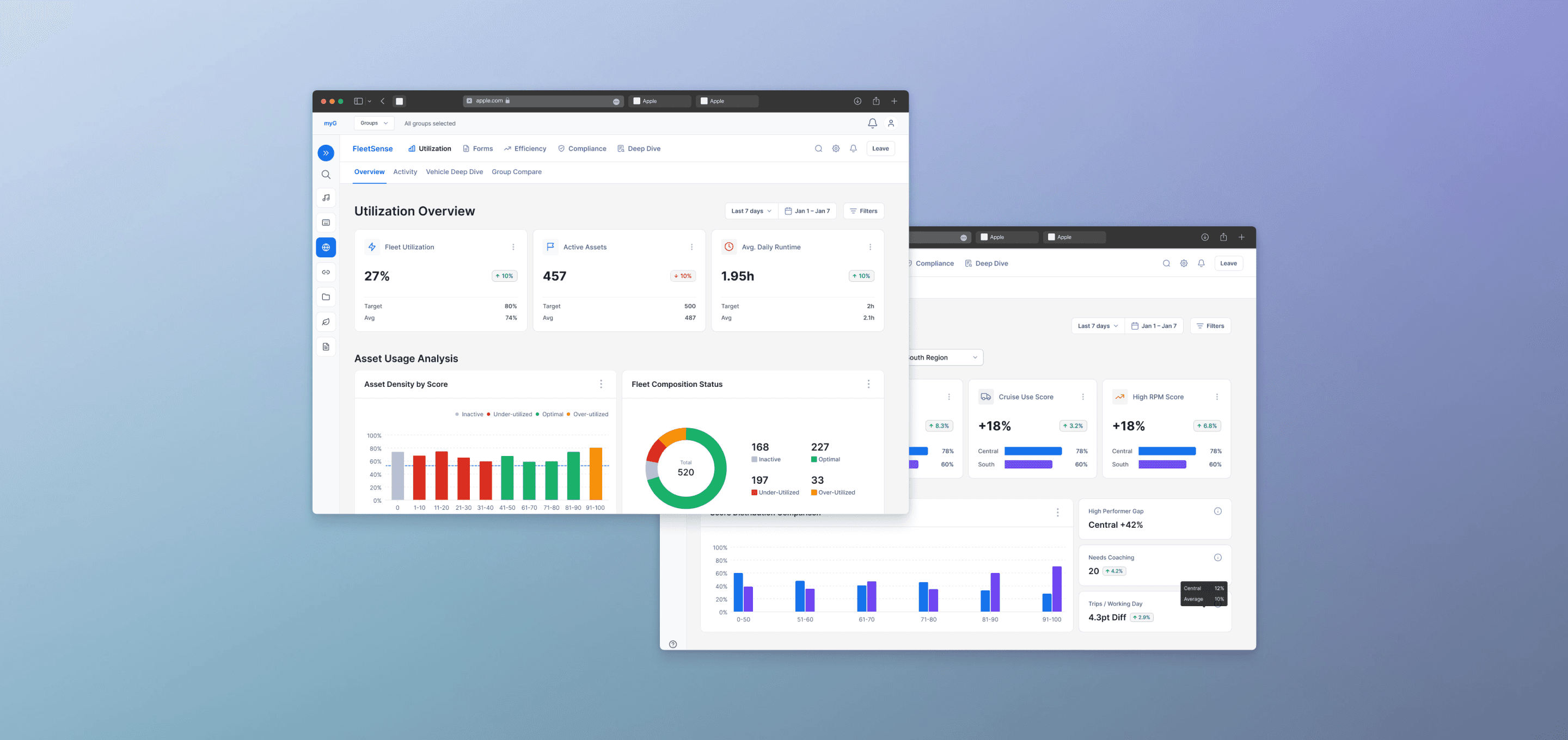
FleetSense is a fleet management dashboard developed to integrate as a Geotab Add-in. The project originated from a functional AI-generated prototype used to validate initial data logic.


My primary responsibility was to bridge the gap between this raw AI output and a production-ready enterprise solution. I took the unrefined AI concepts and transformed them into a scalable, high-fidelity prototype capable of handling real-world complexity.

17

Production-ready screens shipped

5

Fleet modules consolidated

120+

Design system components

Step 01

AI Prototype

Google AI Studio

Step 02

UX Audit

Hierarchy & IA Analysis

Step 03

Redesign

17 Screens · 5 Modules

Step 04

Ship

Geotab Add-on · Handoff

Quick View

Vibe-coded interactive prototype — built with AI to validate the dashboard flow before finalizing in Figma.

[ Vibe Design Prototype — Interactive Dashboard ]

Try Live Prototype →

AI Workflow

Leveraging AI to Accelerate Insight & Scalability

Leveraging AI to Accelerate Insight & Scalability

01

Google AI Studio

AI-generated

starting point

Evaluated an AI prototype instead of starting from scratch — a fundamentally new design challenge.

What I actually did

Audited AI dashboard against real fleet manager scan patterns

Identified 3 critical hierarchy failures in the generated output

Mapped every AI output to a redesign decision

02

Claude

AI-assisted

research

No researcher on the team. I used Claude + domain expert interviews to build a decision-ready research base.

What I actually did

Built synthetic fleet manager persona — triggers, cognitive load

Thematic synthesis from PM interview transcripts

Competitive audit of Geotab conventions + B2B norms

03

Figma MCP + Claude

Scaling craft

with MCP

Batch-renamed 500+ layers, transformed text across 17 screens — hours of manual work done in minutes.

What I actually did

Automated layer naming across all 17 production screens

Batch text casing transformation for consistency

Layout audit: caught spacing inconsistencies at scale

Context

Inheriting an AI prototype

Inheriting an AI prototype

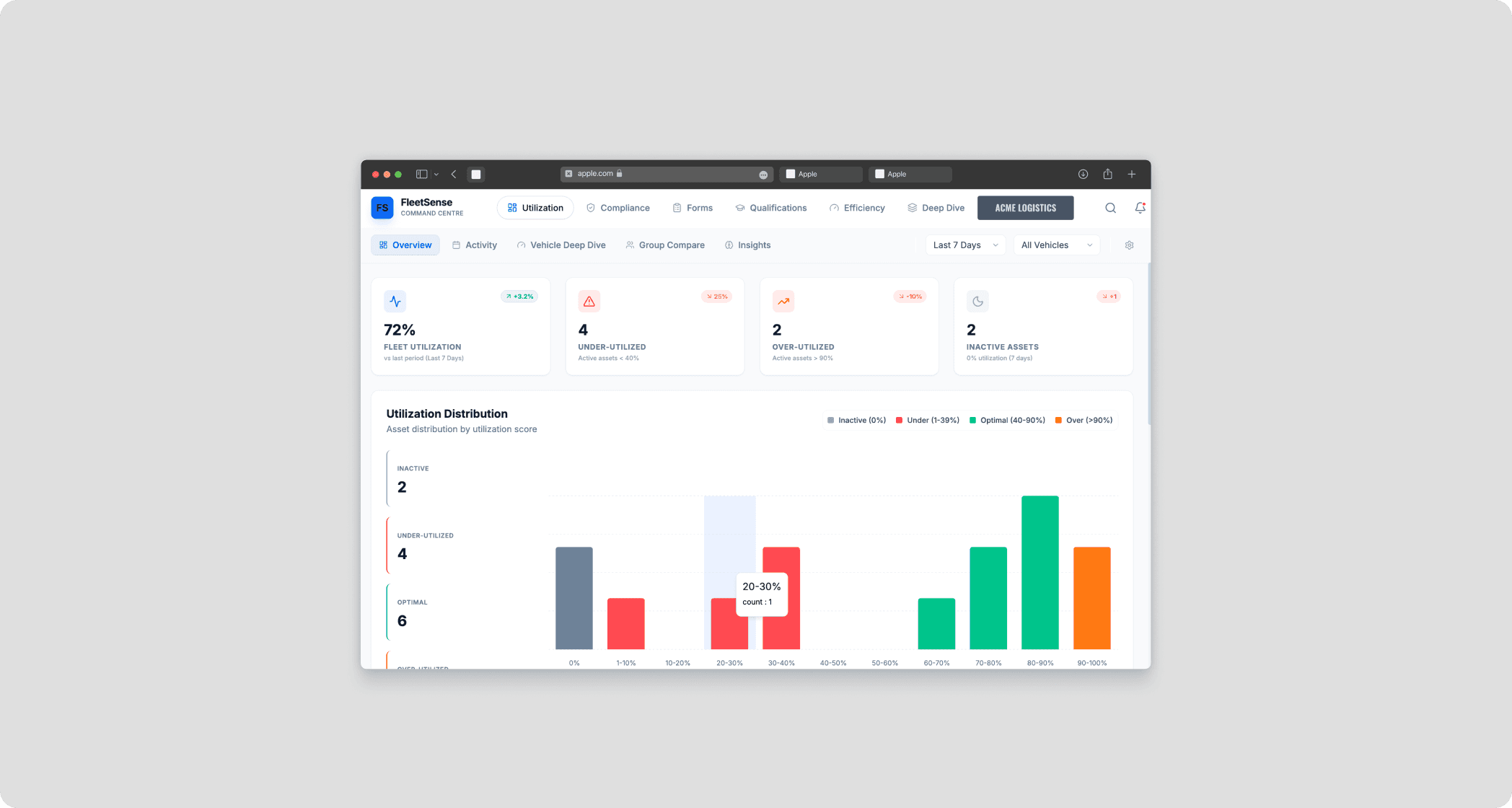
To accelerate product validation, a cross-functional lead utilized Google AI Studio to build a functional proof-of-concept in days. My mission was to take this raw, high-potential output and refine it into a professional-grade dashboard—one that fleet managers could rely on for critical, high-stakes daily operations.

Problem

Functional, but not usable

Functional, but not usable

The initial AI-generated output served as a "smoke test" to prove the product's viability. However, upon auditing the prototype, I identified three critical blockers that prevented it from being a production-ready enterprise tool.

01

Data Density without Hierarchy

The AI prioritized data volume over scannability. Critical anomalies and urgent KPIs were buried under complex charts and dense tables.

02

Fragmented Visual Logic

The AI-generated screens lacked a unified design language. Card styles, padding, and chart types felt disconnected across different modules.

03

Architectural Constraints of AI Assets

The AI output existed only as a flat, non-scalable asset. It lacked the flexibility required to build a consistent 17-screen ecosystem.
Research & Strategy

Insight to decision

Insight to decision

No dedicated researcher. I ran AI-assisted research as domain expert, then mapped every insight directly to a design decision.

AI-ASSISTED

Synthetic Persona

Prompted Claude to build a fleet manager behavioral profile — daily triggers, cognitive load, scan patterns.

Expert Interview Synthesis

Structured interview with Jobin (PM, Geotab). Fed raw notes to Claude for thematic synthesis.

Competitive Audit

Claude synthesized Geotab UI conventions and B2B dashboard norms — identifying where the AI prototype broke from established patterns.

DECISION TRAIL

Managers scan for problems in the first 60 seconds

KPI cards first, table last

Compliance and Efficiency are different cognitive modes

5 separate modules, identical layout

Add-ons that feel foreign lose trust instantly

Match Geotab native nav exactly

'Idle Hours' is engineer language

'Avoidable Idle' — actionable, not technical

Design Process

From audit to system

From audit to system

I restructured the information architecture around how fleet managers actually work: scan KPIs for anomalies, drill into charts for trends, then reference tables for specifics.

Before — AI Generated

Data Table (all metrics)

Mixed Charts

Raw Numbers

Navigation (generic)

Flat hierarchy — no scan path

After — 3-Tier IA

Tier 1

KPI Cards

Anomaly detection at a glance

Tier 2

Trend Charts

Patterns over time

Tier 3

Data Tables

Detailed records for investigation

Progressive disclosure — scan → explore → investigate

Same scaffold × 5 fleet modules

Fleet Overview

Compliance · HOS

Fuel & Efficiency

Safety & Risk

Maintenance

Fuel & Efficiency

Maintenance

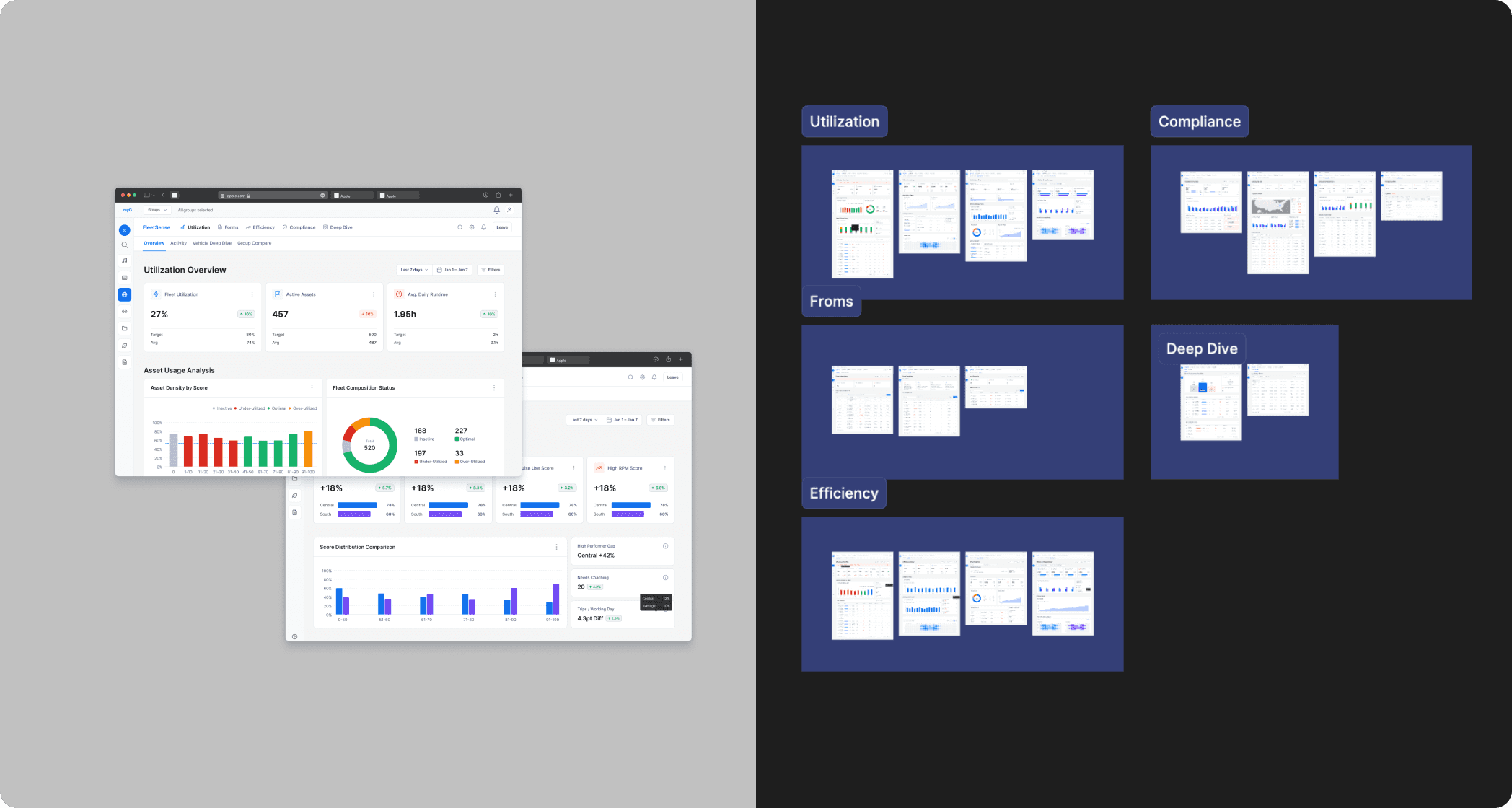
Each module follows the identical KPI → Chart → Table structure — consistent mental model, distinct data context.

IA Restructure

3-Tier Information Hierarchy

KPI cards surface anomalies instantly. Charts reveal trends. Tables provide detailed records. Each layer answers a progressively deeper question.

Scalable Layout

5-Module Architecture

Separated compliance and efficiency into distinct cognitive spaces — each module follows the same scaffold so the layout feels consistent but focused.
Outcome

From AI prototype to production

From AI prototype to production

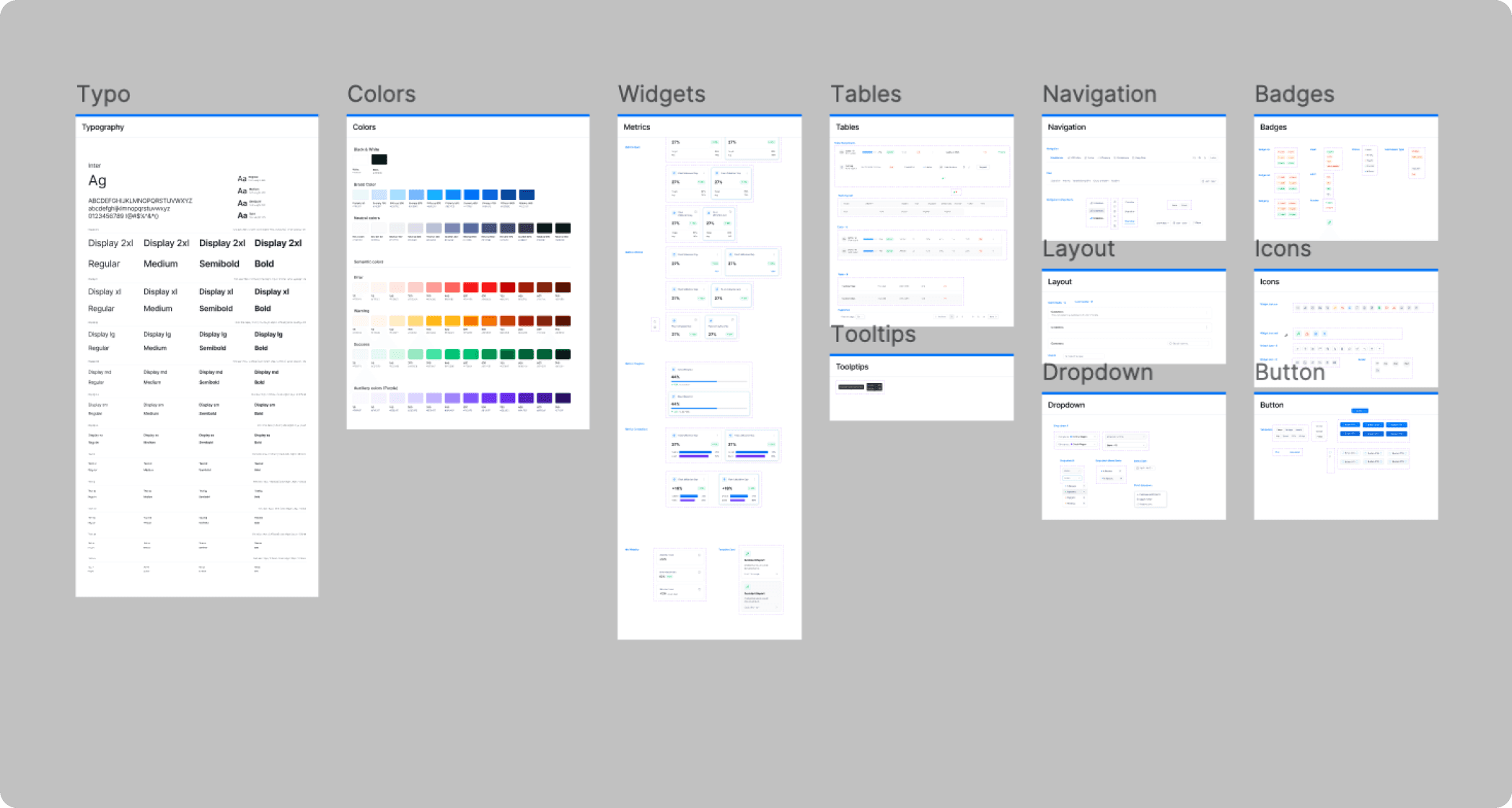
FleetSense shipped as a Geotab add-on — a complete product design system ready for engineering implementation.

17

Production-ready screens shipped

5

Fleet modules consolidated

120+

Design system components

Shipped as Geotab Add-on

Design System Established

Reusable Component Library

AI-First Workflow

Reflection

How this project changed how I design

How this project changed how I design

01

Designing from AI output is a new skill

Starting from a functional AI prototype is fundamentally different from 0-to-1 design. The hardest part isn't building — it's developing the critical eye to identify what the AI got right, wrong, and couldn't know without user context.

02

Scale requires systematic thinking

17 screens can't be maintained with manual discipline alone. Figma MCP taught me that the most important design decision is often 'how do I make this impossible to get wrong at scale?'

03

Domain knowledge is irreplaceable

AI helped me explore faster, but Jobin's domain expertise and Geotab's real user terminology made the difference between a generic dashboard and one that feels right to fleet managers.

Next steps

Validate the redesigned information hierarchy with a fleet manager usability test — measuring task completion rate on the KPI → Chart → Table flow versus a table-first baseline.

WORK

WORK

About

About

Linkedin

Linkedin

resume

resume

Minju