Product Design
SaaS · B2B
Cross-Platform
Self-Directed
5 Weeks
Designing a cross-platform automated progress tracking dashboard
Designing a cross-platform automated progress tracking
dashboard for frontline retail teams.
My Role
Solo Product Designer
User Research · UX Design · Testing
Timeline
May – Jun 2025
5 weeks
Tools
Figma · Maze
Google Meet
Scope
Desktop & Mobile Dashboard
Retail SaaS · B2B
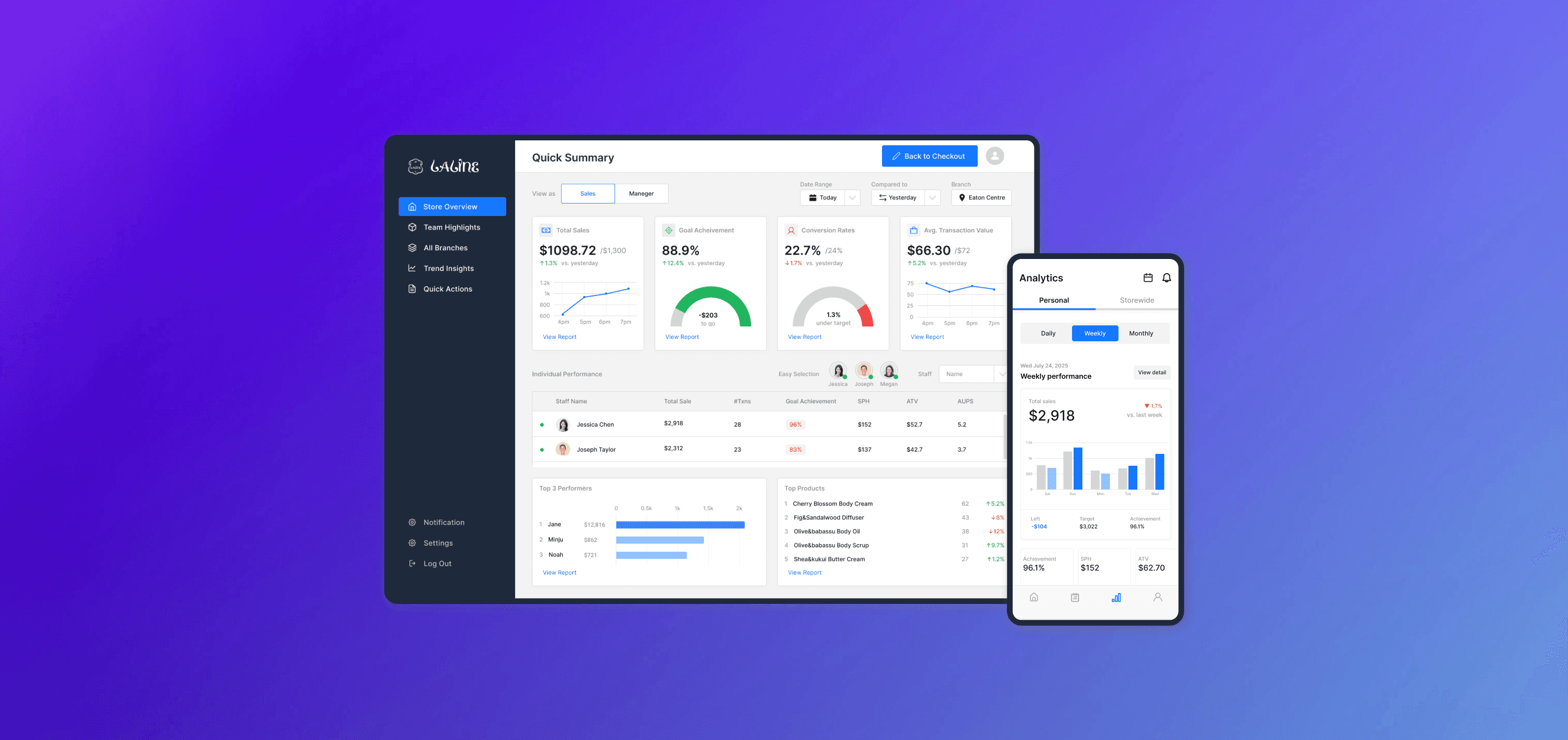
Overview
6 tools → 1 unified system
Laline's 45+ frontline staff relied on dashboards, Excel, whiteboards, WhatsApp, and paper to track sales progress — wasting 10+ hours per week on manual work.
I designed a cross-platform automated tracking dashboard that replaced this fragmented workflow with real-time, role-based progress visibility.
67%
Tool reduction (6 → 2)
60%
Admin time saved (1.5h → 0.5h)
92%
Usability test completion rate
Problem
Missing supportive progress tracking
In a fast-paced retail environment, sales associates need to stay aware of both individual and team progress. However, the current system presented three critical challenges:
01
One dashboard for 45+ staff
Each staff role has different needs, but everyone saw the same flat view with no personalization.
02
Raw data only
Only raw progress numbers without actionable context — no way to understand what the numbers mean for your shift.
03
No automated updates
Need to manually check progress each morning and evening. No reminders, no daily reports.
10+ hours/week lost on manual work with 5+ tools (dashboard, Excel, whiteboard, WhatsApp, paper) to stay aligned.
How Might We
How might we improve progress tracking efficiency to save time and keep everyone aligned with business goals?
Research
4 interviews, clear patterns
I conducted quick interviews with frontline staff and managers. With no dedicated researcher on the team, I focused on high-signal questions that would directly inform design decisions.
3/4
Often forgot to check progress on busy days
→
Need automated reminders
4/4
Struggled finding relevant info in the official dashboard
→
Need better information hierarchy
3/4
Could easily self-assess their own performance
→
Self-awareness exists — tools don't support it
4/4
Needed role-differentiated experiences
→
Managers vs. associates see different things
Solution
One connected system, three core features
Each feature directly maps to a research insight — addressing a specific pain point with a measurable improvement.
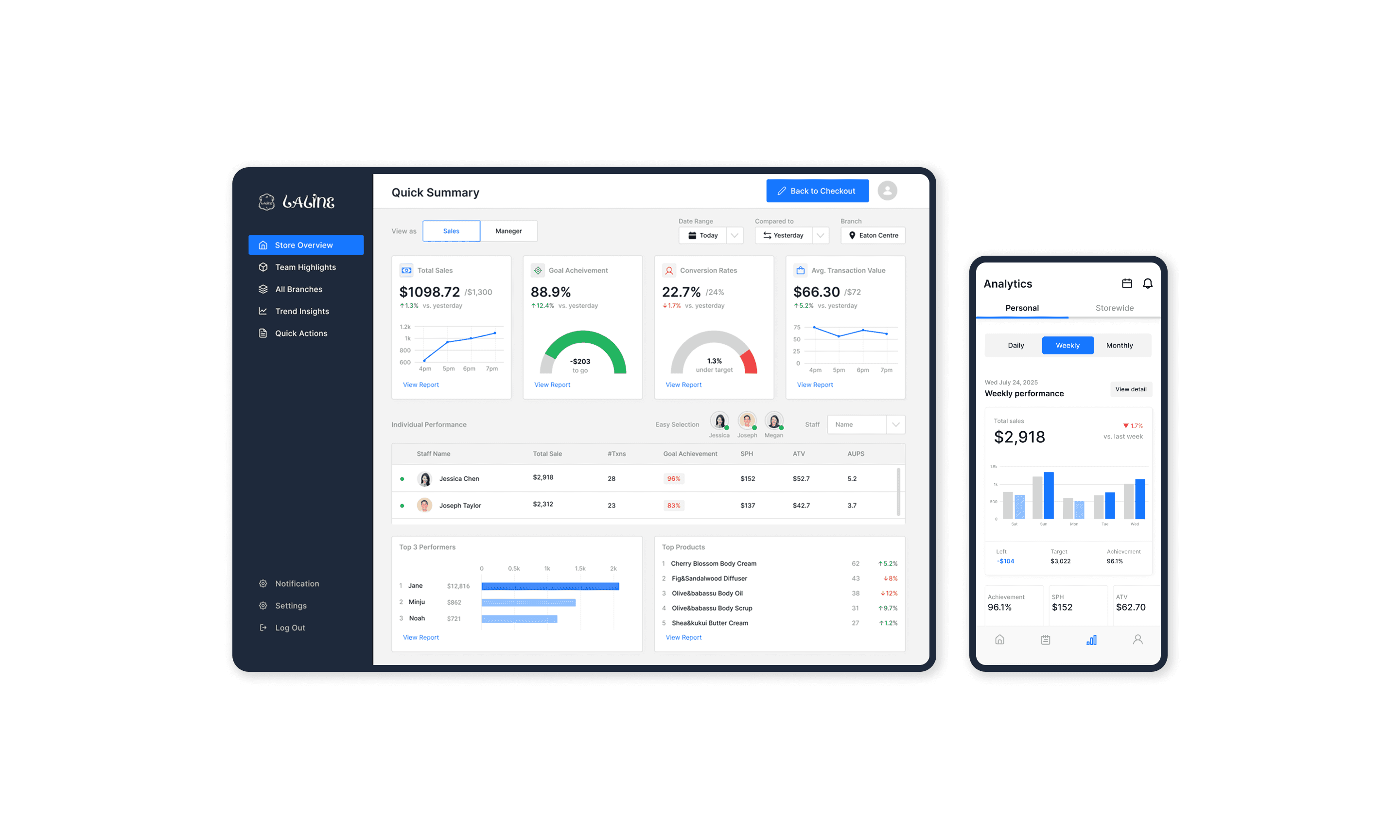
Try Prototype on Figma →
01
Cross-platform
dashboard
Access live performance data anywhere — desktop for managers in the back office, mobile for associates on the floor. Real-time sync across all devices.
→ Solves: 'Can't find info' + 'Forgot to check'
02
Auto check-ins
& reporting
Automated daily reminders and generated reports replace manual WhatsApp messages and paper tracking. Zero manual overhead.
→ Solves: 'No automated updates' + '10+ hrs/week lost'
03
Role-based
personalized view
Managers see team aggregates and trends. Associates see individual targets and ranking. Same system, different contexts.
→ Solves: 'One dashboard for 45+ staff'
Usability Testing
Validating with real users
We ran a usability test with 4 participants (3 sales associates, 1 assistant manager) using Maze prototypes over Google Meet to validate clarity and task efficiency.
Task
Success Rate
Confidence
Check remaining target for today and assess goal status
100% (4/4)
4.5 / 5
Identify underperforming KPIs from today's sales data
75% (3/4)
3.8 / 5
Complete the daily closing report
100% (4/4)
4.8 / 5
Task completion rate (11/12)
Average goal-check time
Self-rated ease of use
Expected Impact
Measurable improvements projected
Based on usability testing results, we estimated the potential impact if the redesigned workflow were implemented in real store operations.
Admin time reduction
1.5h → 0.5h per store/day
Goal check-in increase
3x → 5x per day avg.
Tool reduction
6 tools → 2 tools
Cross-Platform Prototype
Auto Check-ins Designed
Role-Based Views
Usability Validated
Reflection
What this project taught me
01
One product, many users
Even within the same system, user behaviours diverge. Designing role-based views taught me that personalization isn't a feature — it's a fundamental architecture decision.
02
Problem framing shapes the solution
Internal tools aren't cheap to redesign. Matching solution depth to problem scale — and proving ROI through time-savings data — was as important as the design itself.
03
Designing a flow, not just a screen
Product designers don't design isolated screens. They shape end-to-end experiences that support decision-making across contexts, devices, and user mental models.
→
Areas for improvement
Involve cross-functional partners earlier for feasibility. Validate with frontline staff during active shifts — not just controlled testing — to surface real-context blind spots.